Free · Open source · No ads

Your favourite JW content. Delivered better.

Watch the latest videos, listen to the Bible and music, and pick up right where you left off — on your phone, your TV, in the car and now on iPhone.
  • Android
  • Android TV
  • Android Auto
  • iPhone (sideload)
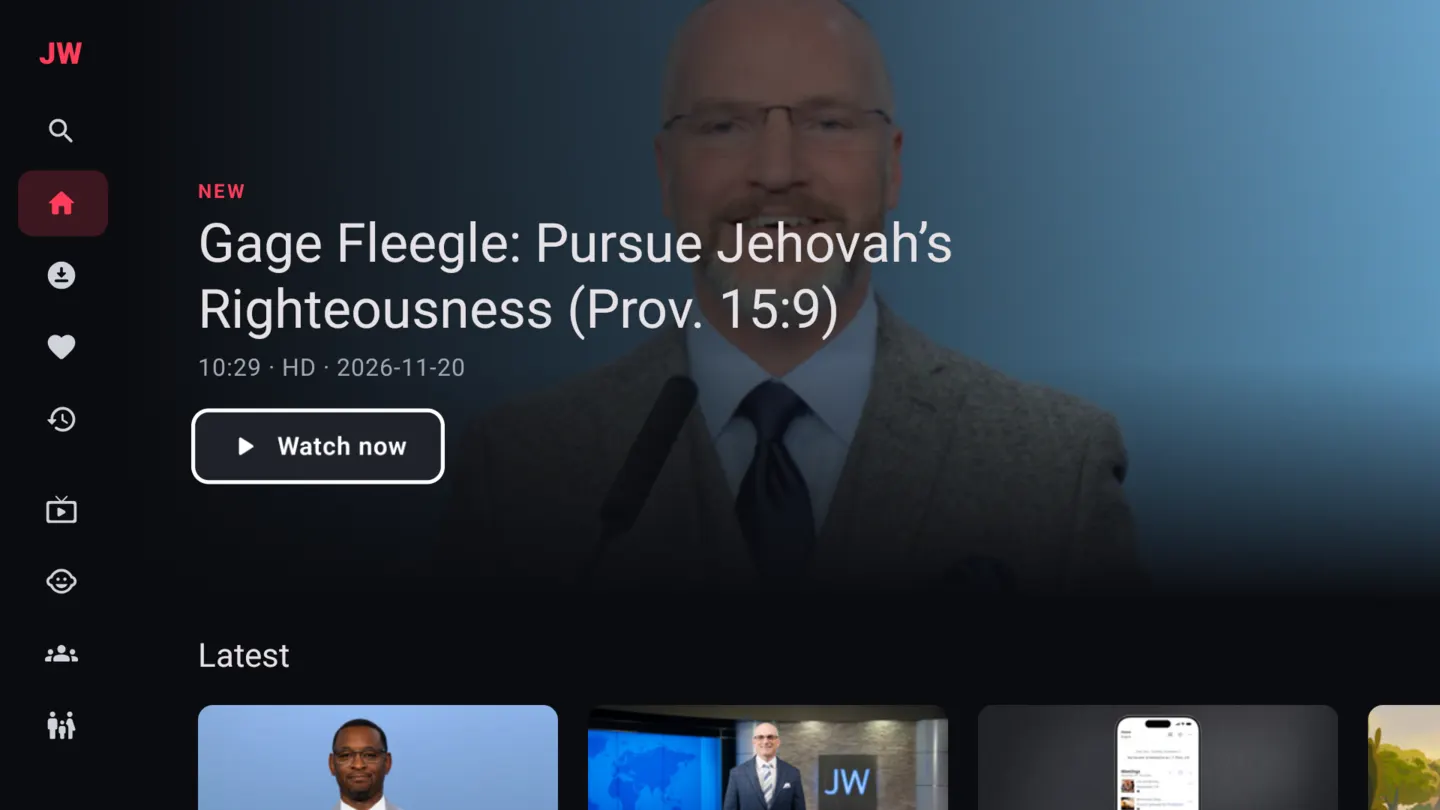
JW Pocket home screen on Android TV
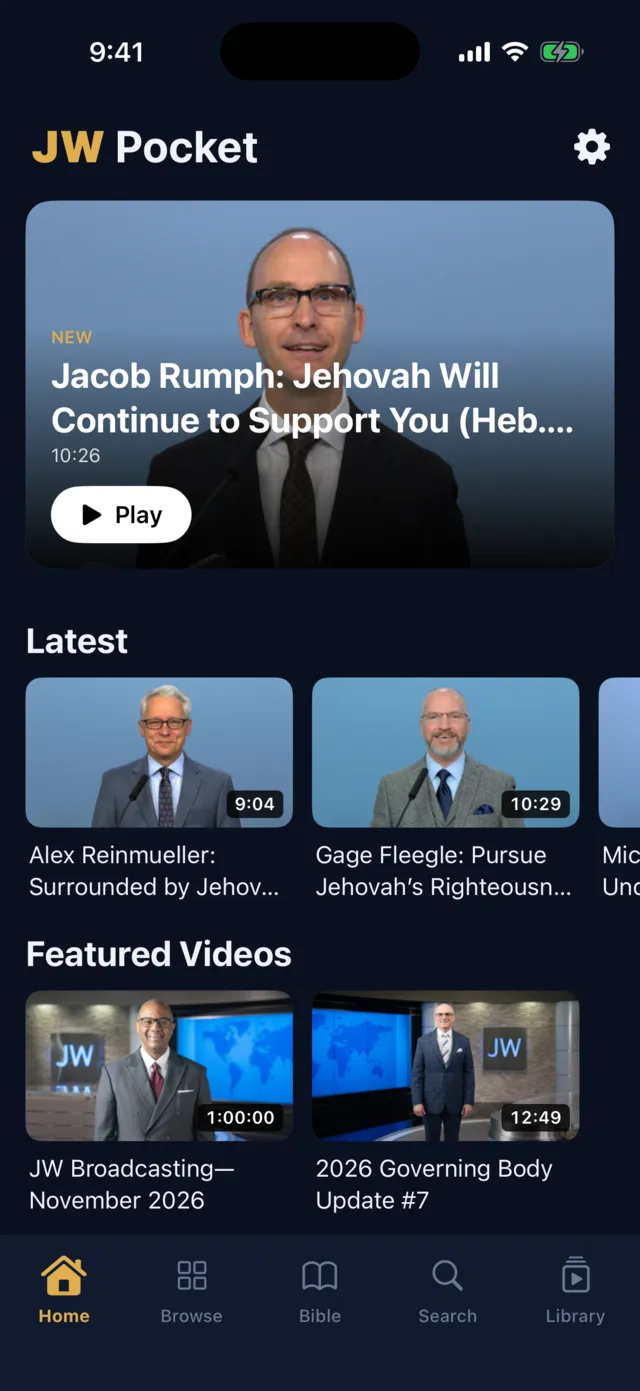
JW Pocket home screen on a phone
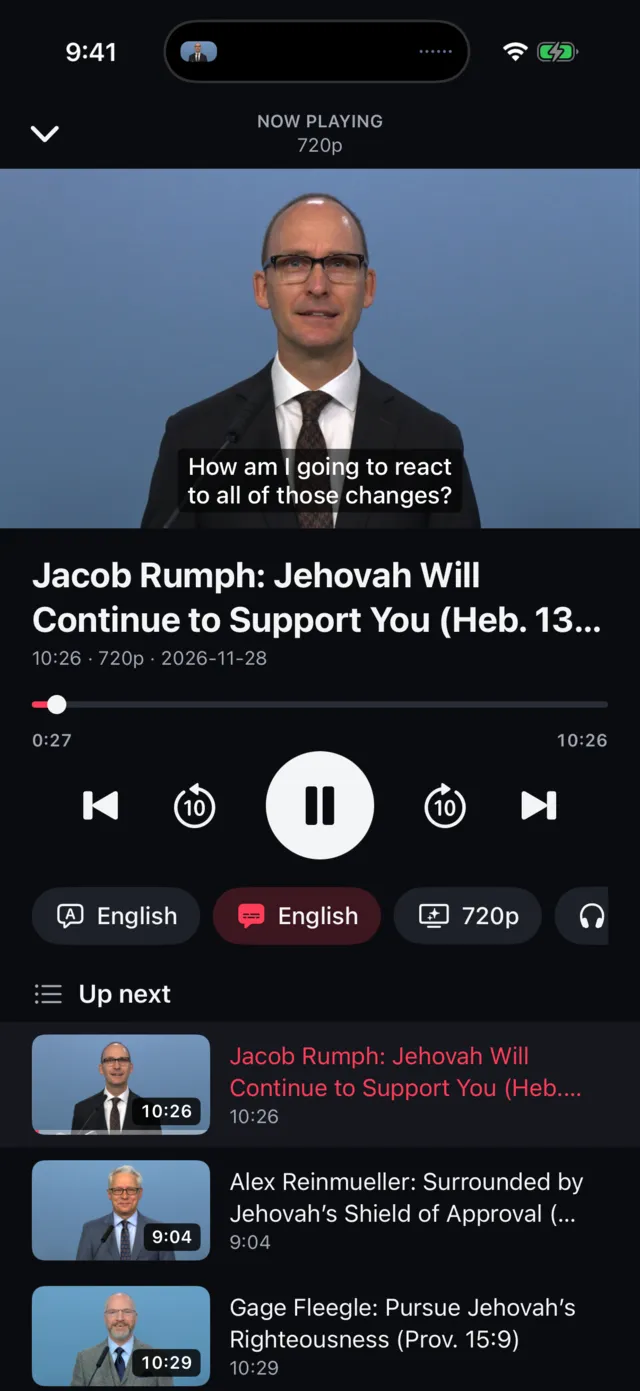
The player with Up next, subtitles and quality
  • Read alongwatch the Bible text as it's read aloud
  • Just listenminimize the Bible and listen without distraction
  • Data saverlisten to videos instead of watching and save mobile data
  • Small & fastthe whole app is about 4 MB, smooth on any device

Wait — isn't there already JW Library?

A companion, not a replacement.

JW Pocket is a streaming app, not a study tool: the video library, music and the Bible read aloud with the verse text following along.

  • Saves data when you're only listening
  • Remembers where you stopped
  • Quick, smooth and comfortable
  • Lock screen, floating window, Android Auto

Features

Everything a streaming app should have

Picks up where you left off

Every video, song and chapter remembers its place, even after you close the app.

Keeps playing in the background

Lock your phone or switch apps and keep listening. Videos float in a small window.

Only in JW Pocket

Watch in your preferred language

Hear a video in one language with subtitles in another — a mix you won't find in any other app.

Playback the way you know it

Up next, speed, sleep timer and quality — just like the streaming apps you already use.

  • Music & audio dramas
  • Voice search
  • New-video alerts
  • Favorites & history
  • Automatic Android updates

Bible

Listen to the Bible, verse by verse

The New World Translation read aloud, with the words on screen following along.
  • Continue right where you stopped
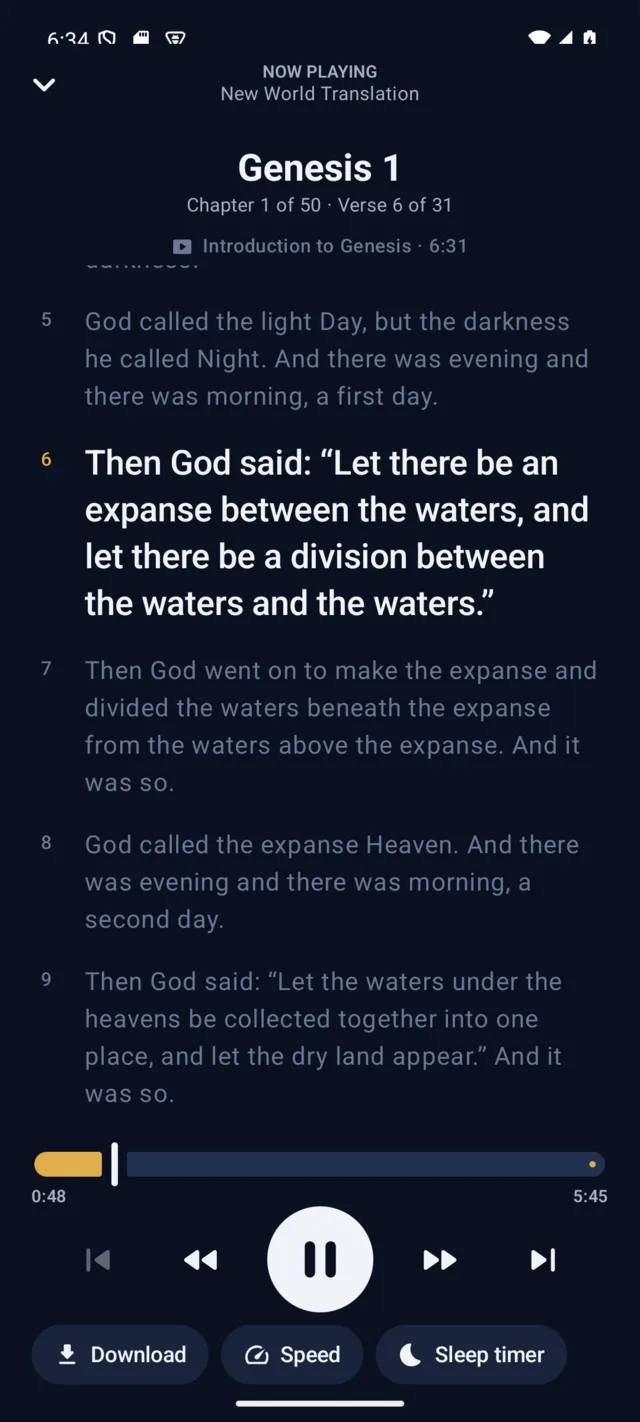
  • See the verse being read, and tap any verse to jump to it
  • Track every chapter you've heard
  • Download whole books to listen offline
The Bible player reading Genesis 1, with the current verse highlighted and playback controls

Android TV

Made for the big screen

A calm, lean-back experience for the living room, built around your remote.
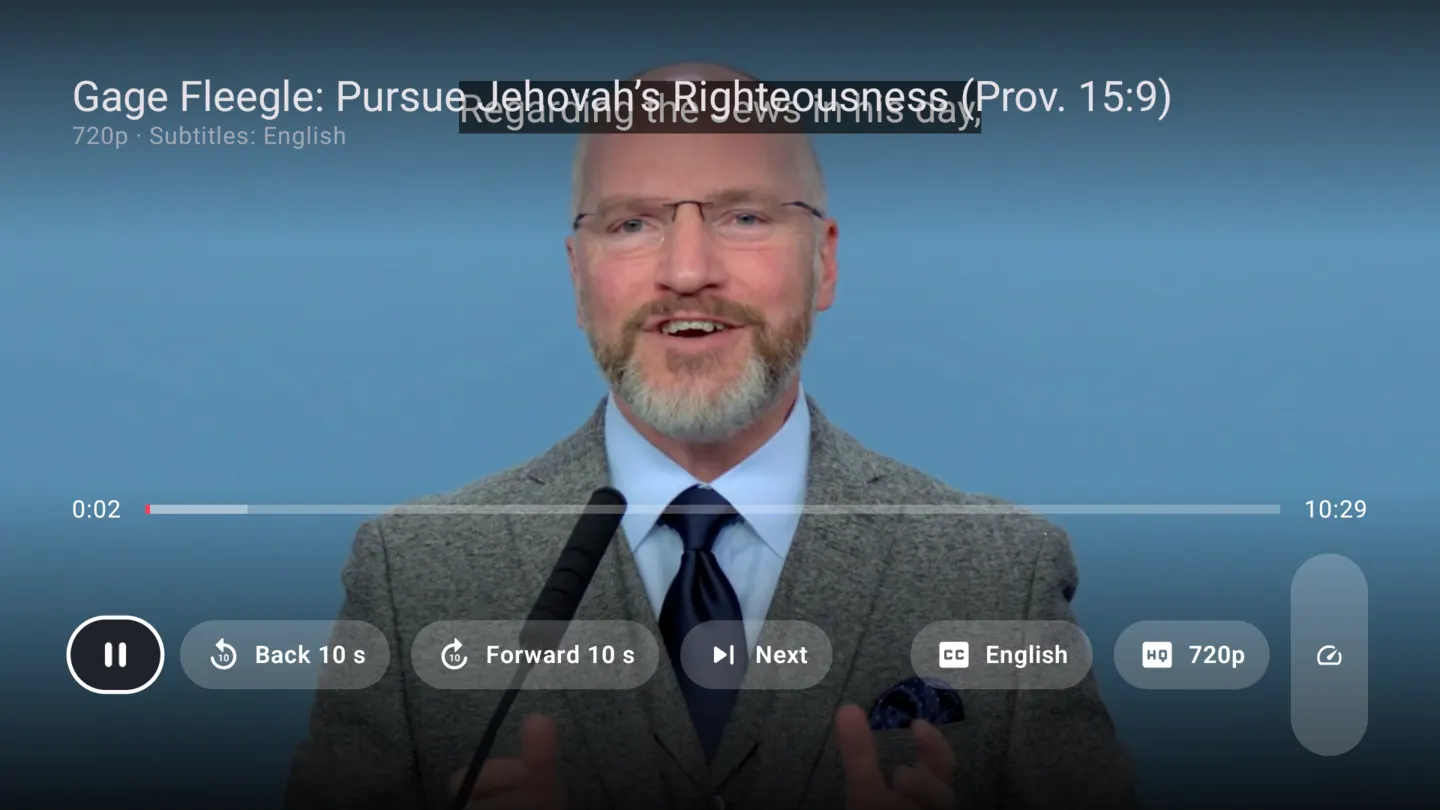
  • Simple remote controls for skipping and subtitles
  • Search with your voice from the remote
  • Downloads, favorites and history one click away
JW Pocket playing a video on Android TV

Android Auto

Take it on the road

Listen to the Bible, music and audio dramas safely while you drive.

  • Continue the Bible from the chapter you're on
  • Your downloads and favorites, ready in the car
  • Sound only, using as little data as possible

Download

Free. No account. No ads.

Install it in a couple of minutes.

Android phone

Android 6.0 or newer · Android Auto

  1. Download the app on your phone.
  2. Open it and allow the install when asked.
  3. Done — updates arrive automatically.
Download for phone

Short link: /phone

Android TV

Android TV & Google TV

  1. Install the free Downloader app on your TV.
  2. Type the short link below into it.
  3. Install, and find JW Pocket among your apps.
Download for TV

Type on your TV: /tv

iPhone Sideload

iOS 17 or newer

  1. Set up SideStore with your free Apple Account.
  2. Download the app and open it in SideStore.
  3. SideStore keeps it signed and up to date.
Download for iPhone

Not in the App Store yet — why?

FAQ

Good questions

Is it really free?

Yes. No price, no ads, no account. It's a personal project, and the code is open for anyone to read.

Is this an official app?

No. JW Pocket isn't affiliated with Jehovah's Witnesses. It plays the videos and audio jw.org publishes publicly.

Why does the iPhone version need sideloading?

The App Store requires a paid developer account and Apple's review. Until then, SideStore lets you install it with a free Apple Account and keeps it refreshed for you.

Does it work without internet?

Yes. Download videos, music or whole Bible books and play them anywhere.
Ready when you are.

Free on your phone, your TV, in your car and on iPhone.

Get JW Pocket